
INTRODUCING FINAL FORMS
Important Message From Paw Paw Athletics:
We are excited to announce that Paw Paw Public Schools Athletic Department has partnered with FinalForms, an online forms and data management service.
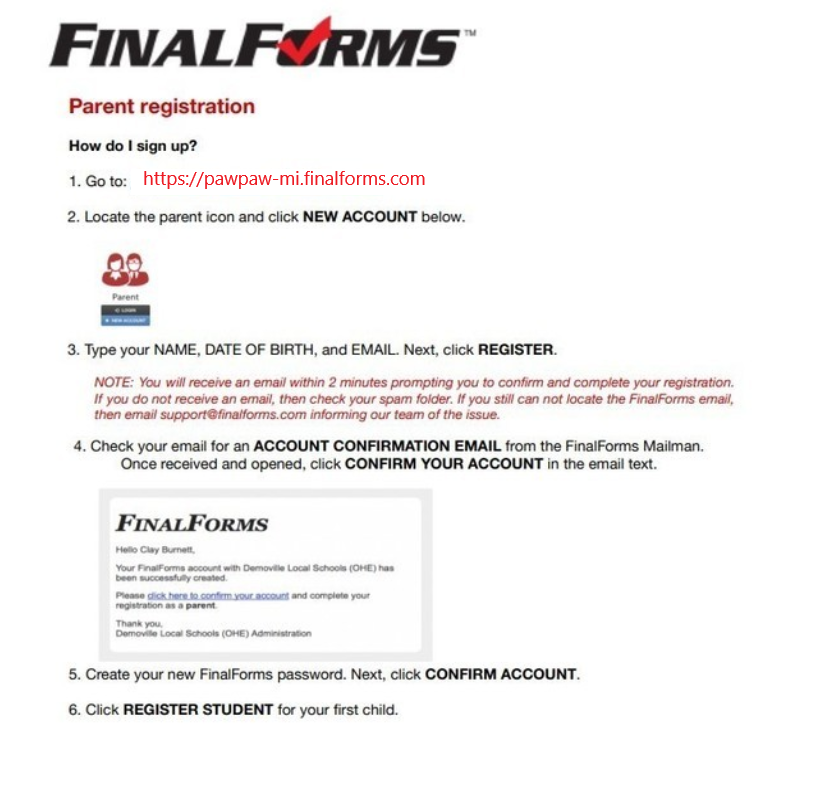
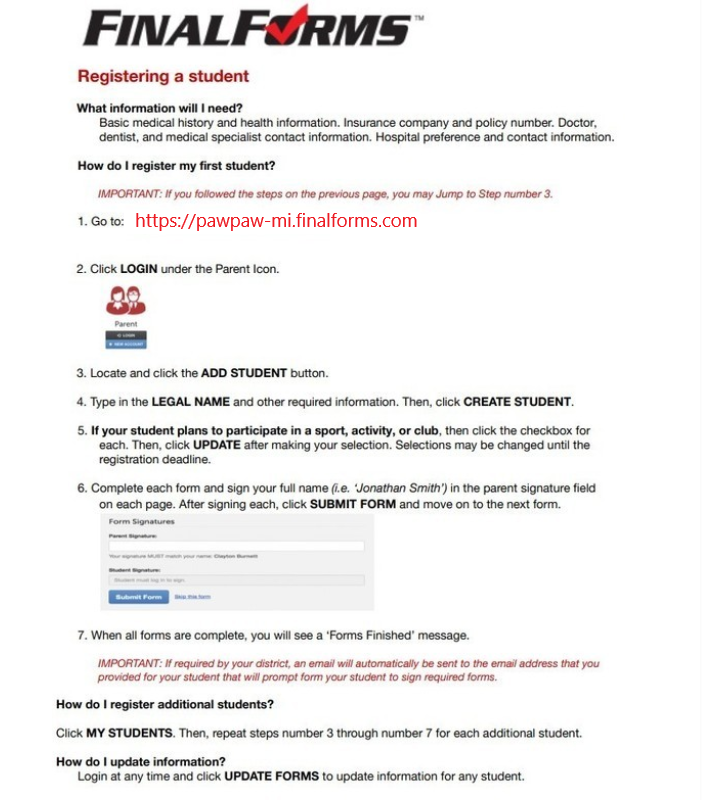
Parents of all MS/HS athletes are asked to create an account in Final Forms, using the step-by-step "Parent Playbook" guide link below. Final Forms allows parents to register their children for middle school and high school sports each year, while enabling you to complete and sign athletic forms/waivers for your students completely online. This system is used successfully throughout the state in high school athletic departments, and we believe it will ultimately make our record-keeping easier and safer for parents and kids as we move away from the old paper-based system of doing things. We are excited to begin using FinalForms and we ask for your help in making it a great addition to our department.
The link for Paw Paw Final Forms is: https://pawpaw-mi.finalforms.com/
We are asking that ALL parents of athletes use Final Forms to register their Fall Athletes as soon as possible. You can access the site from any computer, phone or tablet. To get started, click on the link above, or use the linked buttons on our athletics homepage.
Parents, once you click on the link, please follow the prompts below to (1) create YOUR account, then (2) create YOUR STUDENTS' accounts and (3) sign your forms. Please see the links and attachments below, for step-by-step help in creating your account, and successfully adding your student athletes as well.
Any questions can be directed to the Paw Paw Athletic Department at 269-415-5614. We are happy to walk you through any questions you may have and help make the registration process as easy as possible.
Thank you so much for your help as we get started!